
SURGEON 25: Mastering EQ Build (Part 5) – Panel Design and Visual Language
Updated: Feb 25

Why the Panel Matters
As the electronics of Surgeon 25 came together, many of the choices made along the way would ultimately be expressed through the front panel. This is where the user interacts with the unit, and how its intent is communicated at a glance. It’s also the face of the unit, and is how the unit presents itself to the world. For a design this dense, the panel carried real responsibility. It needed to function as a system in its own right.
Starting Point: Not Quite From Scratch

For the front panel, I didn’t begin with a blank canvas. Uroš generously shared his existing panel design with me, which gave me a solid reference to work from and modify based on the changes I’d made, like the added mid-side functionality, and my own functional and aesthetic preferences. Considering this was my first attempt at panel design, having that starting point enabled me to learn the design process by reverse-engineering, while adapting and refining to my own preferences.
Once I learned my way around the panel design tool, I started the other panels: the rear panel of the main unit, the PSU panel, and the internal mounting layouts, from scratch.
Learning Front Panel Designer
Designing the panels meant learning another new tool: Front Panel Designer, a free application I could download and start using immediately. Like KiCad earlier in the project, it was unfamiliar territory. FPD is limited and not especially elegant, but it does what it needs to do. With a few workarounds, it can produce usable files for machining. I learned it gradually, focusing on hole sizes, spacing, placement, labeling, and alignment.

Because the front panel of the main unit was already extremely crowded, this process was primarily about tolerance and precision, making sure everything fit without bumping into each other, with aesthetics following close behind. With switches and controls sitting only a millimeter or two apart in some places, there was effectively no margin for error. Every hole diameter, offset, and engraving position had to be correct.
Visual Language and Marking Choices
With the mechanical constraints defined, another remaining question was how much information to present visually. Given how busy the panel already was, I leaned toward restraint. Instead of words or abbreviations, I used simple line symbols for shelf/bell selection, mid-side selection, and EQ in/bypass states. Divider lines between bands were removed. Knob scales were simplified to numbers alone, without surrounding tick marks.

One benefit of removing those extra markings was space. Without notch lines around the controls, I was able to use larger-diameter knobs. I like the feel of knobs you can really grab—they feel more robust and confident in use. In the end, I used large knobs for gain on the bottom row, medium knobs for frequency in the middle row, and smaller knobs for Q on the top row. The size difference mirrors the functional hierarchy and makes it easier to move quickly without looking.

Two logos also needed to coexist. Alongside my Clear Echo logo, I kept Uroš’s Owl Units logo on the panel. From my perspective, Surgeon 25 was a collaborative effort, and the panel should reflect that. The final layout was adjusted repeatedly to arrive at a sense of balance and symmetry rather than visual hierarchy.
I also chose to rename the unit from Surgeon II to Surgeon 25. The number carries multiple meanings: the Sontec MEP-250A lineage, the two-channel five-band structure, and a personal significance as a lifelong member of the Bike Club. After all, I’ve been 25 since I was 15 ;)
Constraints, Tools, and a Reality Check
My initial hope was to outsource all panel processing: front panel, rear panel, PSU panel, and even PSU ventilation. My own tools were limited to a Makita cordless drill, and I was working in an apartment with neighbors. This felt like a good moment to hand things off to professionals.

Once again, I reached out to my friend Shun Yoshino, who recommended Nogata Denki Kogyo, a small and well-regarded machining shop in Tokyo. Their reputation and capabilities were exactly what the project called for. The quote, however, was a reality check that gave me pause. The pricing was fair for the quality they could guarantee, but far beyond what I could realistically justify for the entire set of panels.
That forced a split approach.
Where Precision Was Non-Essential

I decided to handle everything myself that didn’t require extreme precision. That included drilling the PSU enclosure, cutting ventilation holes, and processing the rear panel of the main unit, where there was plenty of physical space and a bit of margin for error.
I also tried engraving for the first time on the PSU front panel. The result was… well, bad. Bad enough that the cleanest option was to accept it and lean into it. I added a few more intentional scuffs, embraced the beat-up look, and covered the labeling with stickers. Fortunately, the PSU didn’t need to look refined or precise. It just needed to function reliably.
The front panel of the main unit, however, was a different matter.


Where Precision Was Non-Negotiable
With controls packed tightly together and alignment affecting both function and feel, laser-level precision was mandatory. Any hole drifting even a millimeter would have compromised the entire build.
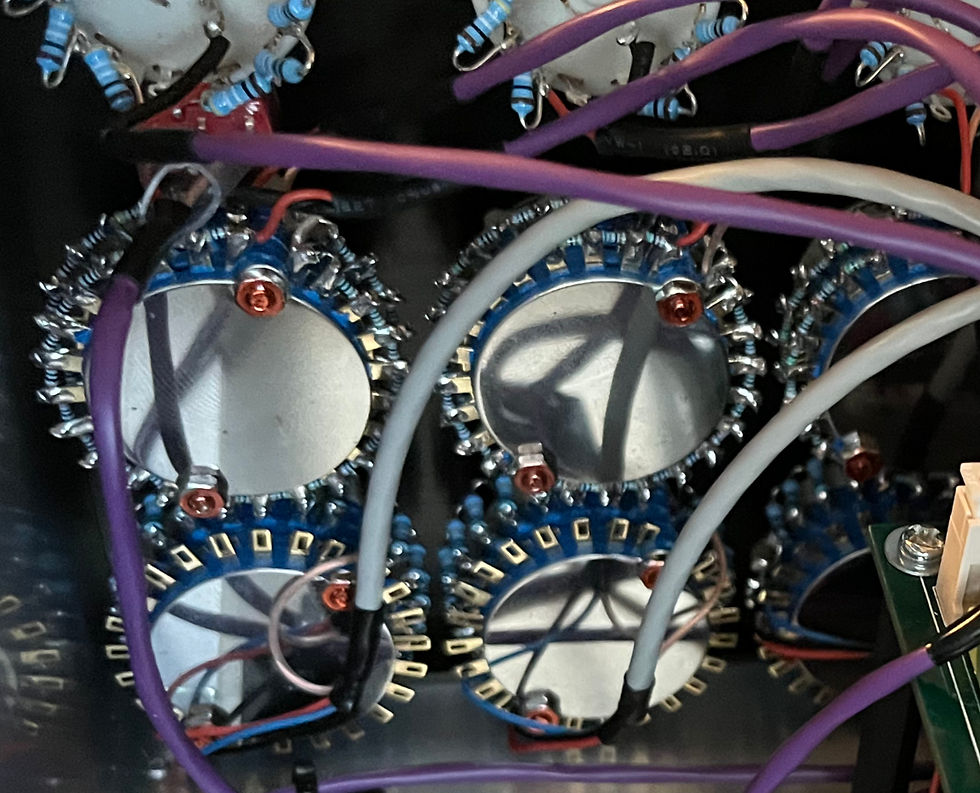
In the end, this became the dividing line. I sent only the front panel to Nogata Denki Kogyo for processing. Three weeks later, they returned a beautiful panel that was precise, clean, and impactful. Once the switches and controls were mounted, it became immediately obvious how little room there had been for error. Trusting this part to Nogata Denki Kogyo’s expertise was the right call.

Closing
Panel design was a particularly rewarding part of the project. It was the point where technical decisions, workflow considerations, aesthetic preferences, and practical limitations came together within a finite space. Once the front panel was mounted, Surgeon 25 felt cohesive and complete, with its function and intent clearly expressed through the interface.
It was also a reminder that precision isn’t only about circuits and tolerances. Sometimes it’s about knowing which parts you can take on yourself, and which parts benefit from the experience of specialized experts.
With the panels finished, I could move on to wiring, the final step before assembly, calibration, and testing, where the story continues in the next chapter.


Comments